A case study
Stack Identity, from v2 to v3.
How a crowded cloud security product was rebuilt into a clear, dark-themed platform designed for the teams who use it every day.
Role
UI/UX Design Lead
Team
Solo design, with PM + Eng
Duration
~18 months, v2 → v3
Surface
Web app, dark-first
"Open the dashboard. See if there's a risk and what to do about it."
Problem
Stack Identity helps security teams manage who has access to what across cloud accounts. By the time I joined, the product had outgrown its original design.
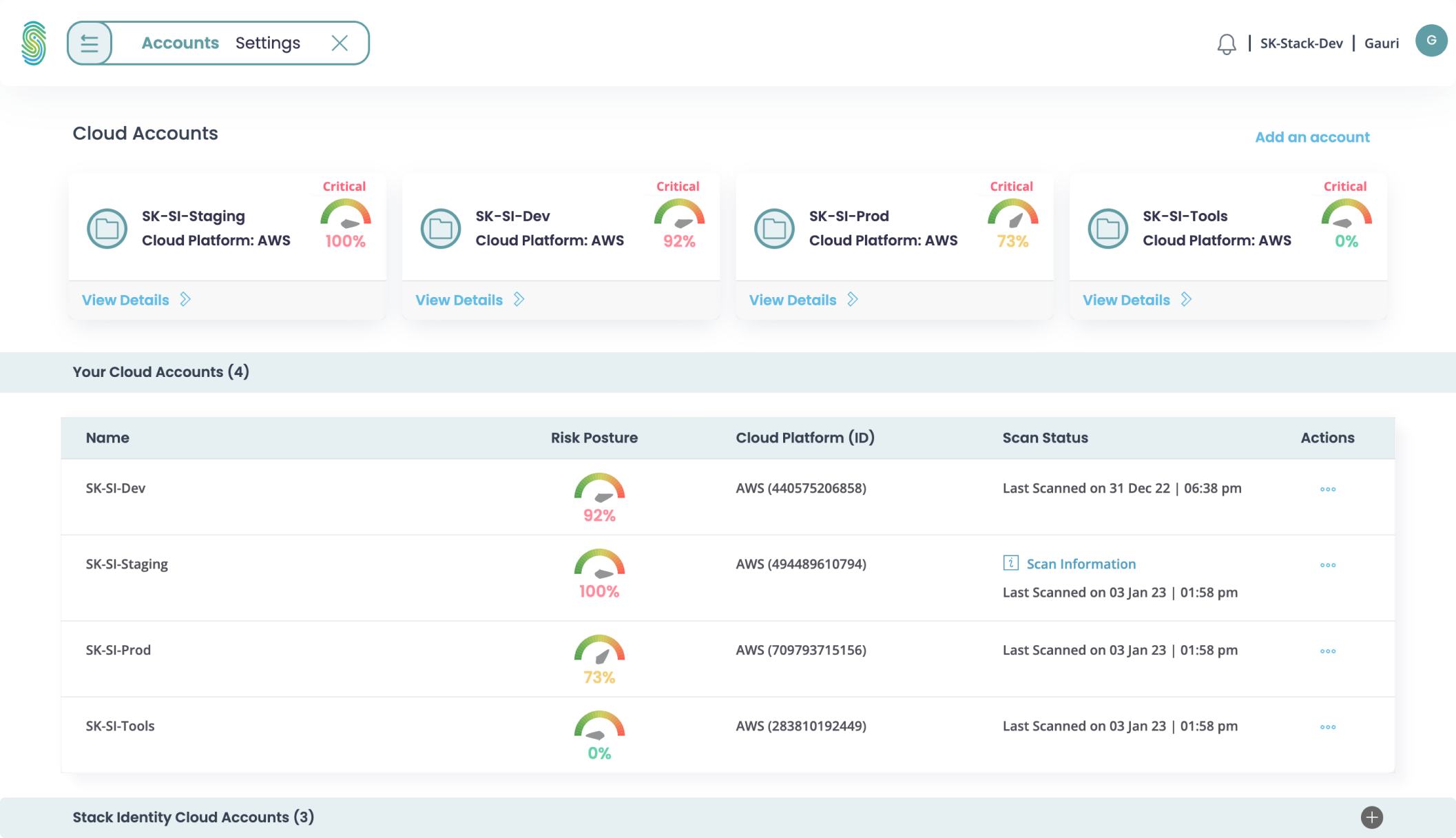
New users struggled to get started. Existing users had to open four or five screens just to answer one question. Risk was hidden across tabs, repeated controls showed up in different places, and the light theme was tiring during long shifts. The product worked, but it was crowded.
- Risk information was scattered across multiple screens.
- Repeated controls and inconsistent language slowed users down.
- The light theme was hard on the eyes during long investigations.
Process
I reviewed every screen in v2 with the product and engineering team, noting what worked and what did not. Then we restructured the navigation around three real jobs: check overall risk, look into a specific asset, and fix an issue.
The visual language moved to a dark theme with a single lime accent for actions. I also built a full design system with named tokens for color, type, spacing and severity, shared between Figma and code.
- Audited the full v2 product page by page.
- Reduced navigation to five sections based on usage data and interviews.
- Created a dark theme and a token-based design system.
Solution
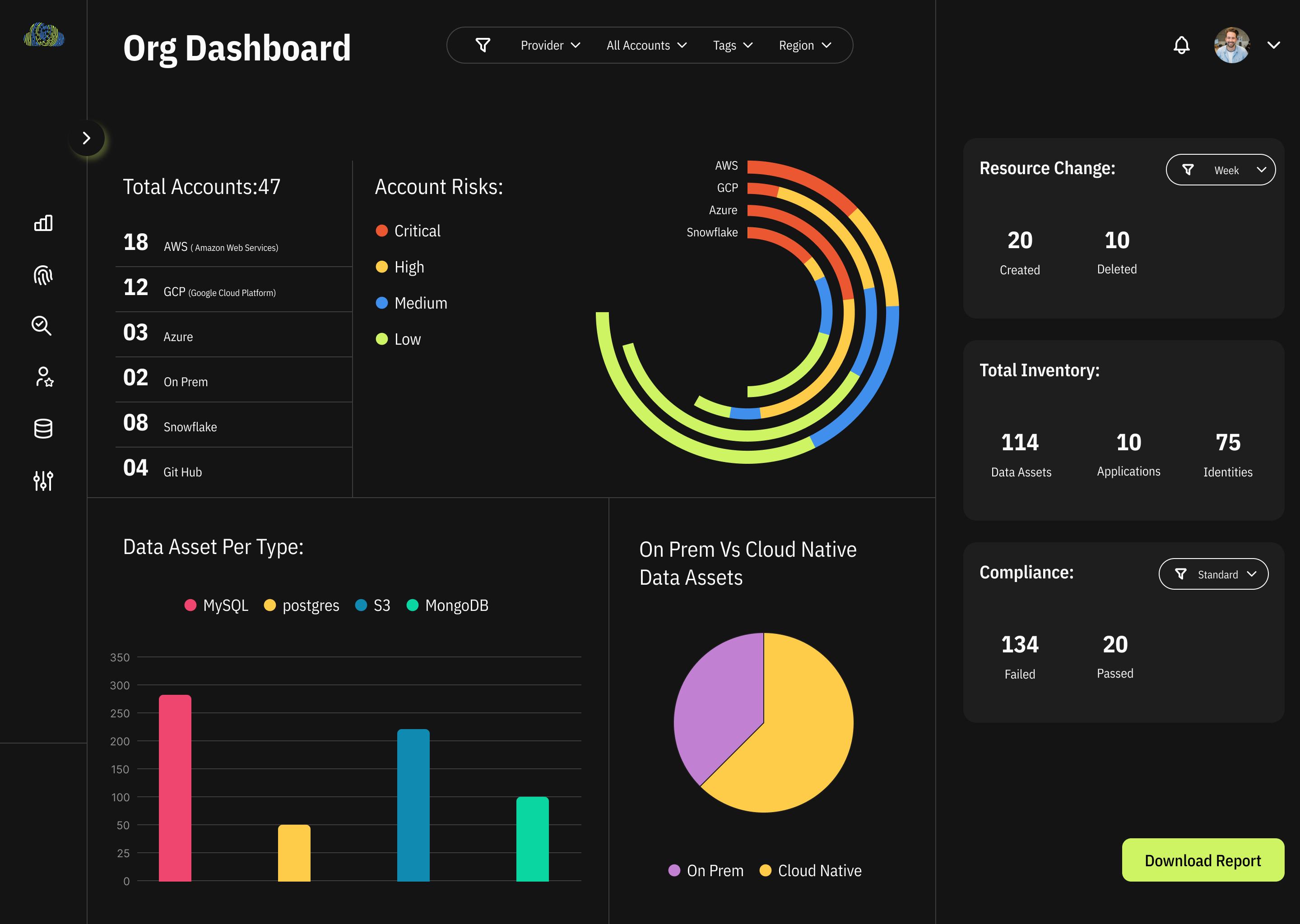
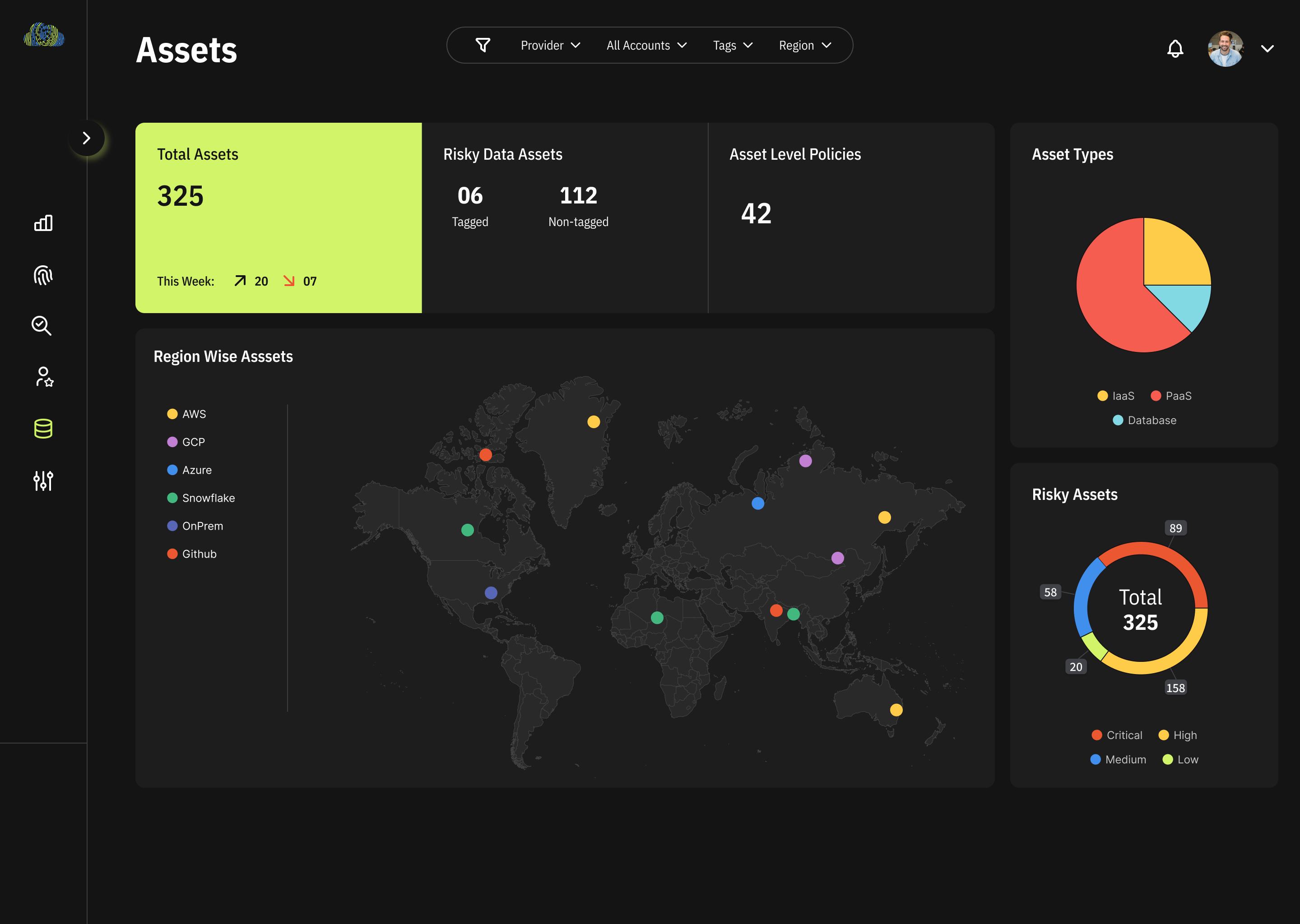
v3 gives security engineers one dashboard to see accounts, risks, inventory and compliance together. The Data Asset map turns long permission lists into a visual graph. The Atlas groups assets by region so teams can spot coverage gaps quickly.
The result is a platform that is easier to use, demo and build on. New modules now fit into the same patterns instead of adding more clutter.
- One dashboard replaces five tabs.
- Relationship map replaces exported spreadsheets.
- Design system keeps every new screen consistent.
Problem
Where v2 broke down for the security engineers who lived in it every day.
The product had outgrown its design.
Stack Identity manages who has access to what across cloud accounts. v2 kept adding features without a clear structure.
When I joined, new users had a hard time getting started. Existing users had to open four or five screens just to answer one question.
The goal was simple. Rebuild the platform so a security engineer could open the dashboard and quickly see if their organisation was at risk and what to do next.
Risk should be visible at a glance, not hidden across tabs.
I reviewed every screen in v2.
I went through the product page by page and noted what was working and what wasn't.
There were repeated controls, different words used for the same kind of risk, a light theme that was tiring to use for long hours, and tables that buried the most important numbers.
The product worked, but it was crowded. The information users needed most was the hardest to find.
Process
Restructuring the information architecture, visual language, and the design system that holds it together.
We restructured the navigation.
Three main user goals. Five main sections. Nothing extra.
Working with product and engineering, I rebuilt the structure around three things users actually do: check overall risk, look into a specific asset, and fix an issue.
Navigation was reduced to five main sections. Each one was kept based on usage data and user interviews.
A dark theme made for long work sessions.
Dark background, one bright accent for actions, calm neutrals everywhere else.
Security teams use this product all day. The new design uses a dark theme with a single lime accent for actions. The rest of the interface stays quiet so the data stands out.
Typography was simplified into a clear hierarchy. Charts, numbers and tables now follow the same visual rules.
The design system behind v3.
Tokens, type, components and principles, shared across design and engineering.
Every screen in v3 uses the same set of tokens for color, type, spacing, radius and severity. They are named, documented and used in both Figma and code.
This helped a small team rebuild the platform without things drifting apart. New modules fit in because the rules are already set.
Define tokens first. Changing the theme is a settings change, not a redesign.
Design System · v3.0
The token library, shown in the product's own theme.
Color · Foundations
Solution
The v3 platform: one dashboard, a relationship map, the assets atlas, and the outcome.
One dashboard instead of five tabs.
Accounts, risks, inventory and compliance on a single screen.
The new dashboard answers the first question a user asks: are we okay right now, and where should I look first?
Users can compare information without switching tabs. The treemap below gives a quick view of the overall state without needing filters.
What used to need a full tour now fits on one screen.
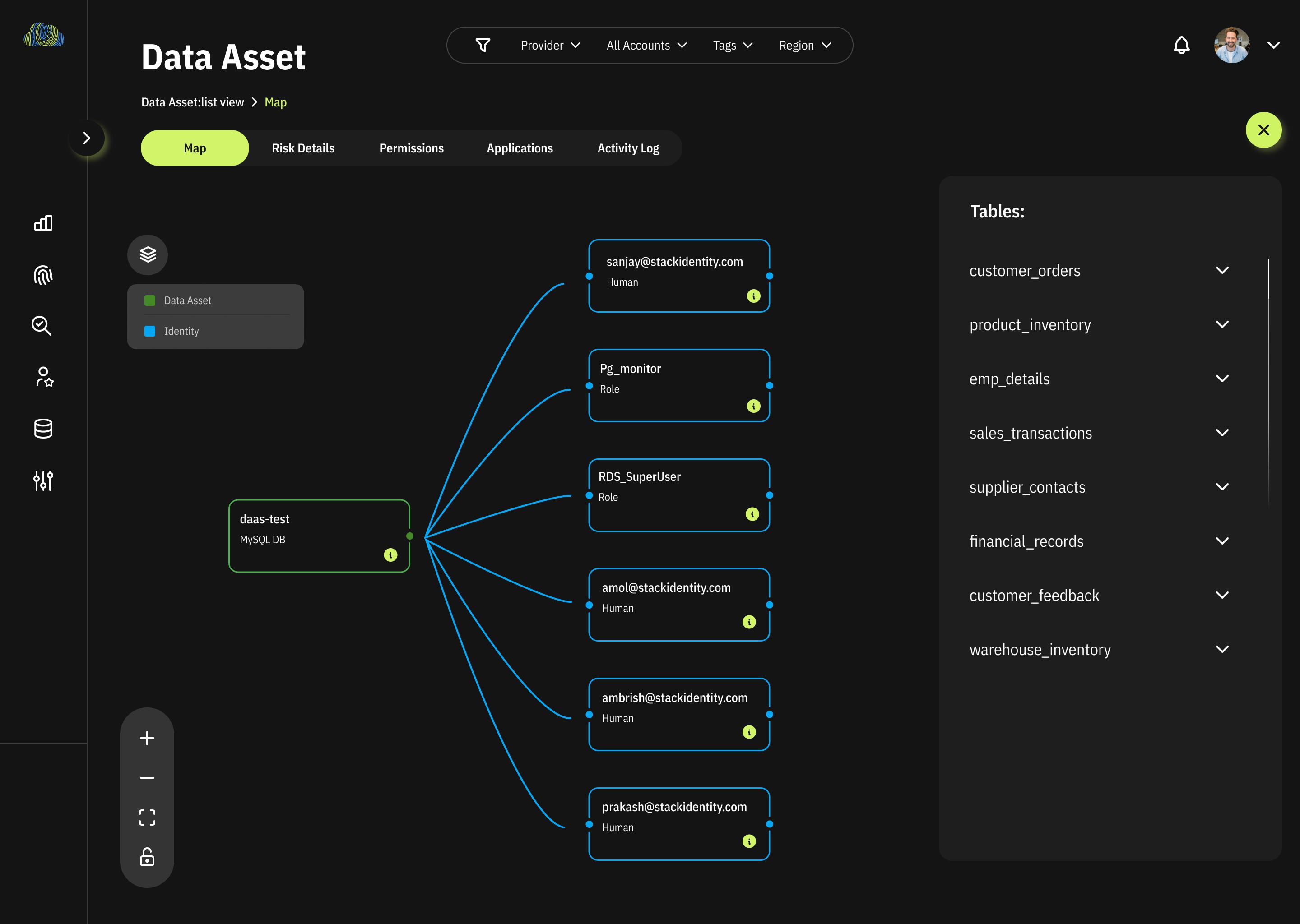
We showed relationships as a map, not a table.
The Data Asset map replaced long permission lists.
Each asset shows the identities and roles that can access it as a connected graph. Users can see who has access to what without running a query.
Investigations that used to need exported spreadsheets now happen by following lines on the screen.
A single view of everything you own.
Assets grouped by region with risk shown alongside.
Assets sit across many regions, accounts and providers. The atlas groups them so users can see where most of their inventory and risk is concentrated.
It also gave the team a clear view to discuss coverage gaps with customers.
Where v3 landed.
A platform that is easier to use, demo and build on.
Users can see overall risk in one view. Investigations are visual. The design stays consistent across every screen.
The dashboard layout and the Data Asset graph also became the base patterns for every new module added after, including compliance and lineage.