A case study
Brite, hormone therapy in one app.
How a long, admin-heavy HRT journey was turned into a simple mobile app, covering brand, design system and end-to-end UX.
Role
Lead Designer
Scope
Brand · System · UX/UI
Platform
iOS, Mobile-first
Domain
Healthtech · HRT
Problem
Patients live with hormone therapy for years. The hard part is not the medication. It is the admin that comes with it.
Dosages change, prescriptions get swapped and refills have to be placed on time. Most patients fall off therapy because of small things: a missed dose, a late refill, or confusion when a new bottle arrives. There was no single place that carried the whole routine.
- Patients juggle dosing, refills and prescription switches across different channels.
- Missed doses and late refills lead people to drop off therapy.
- The experience felt clinical and transactional, not supportive.
Process
I started with patient interviews and existing HRT research before drawing anything. Four jobs came out of it: get started, stay on plan, manage supply and remember the dose.
The brand was built to feel closer to wellness than to a pharmacy. Deep navy, warm rose and mint reserved for actions. A serif handles headlines, a geometric sans handles body text.
- Mapped the full patient journey from first consultation to long-term routine.
- Defined a calm, trustworthy brand language across three generations of users.
- Built a design system that covers type, components and patterns.
Solution
Brite puts the entire HRT flow in one app. Onboarding is short and honest. The home screen opens with a plain-language status instead of a chart. Orders, refills and reminders each take seconds.
When a new prescription arrives, the app asks one question and handles the switch in a single screen. The boring screens are the ones that decide whether someone stays on therapy.
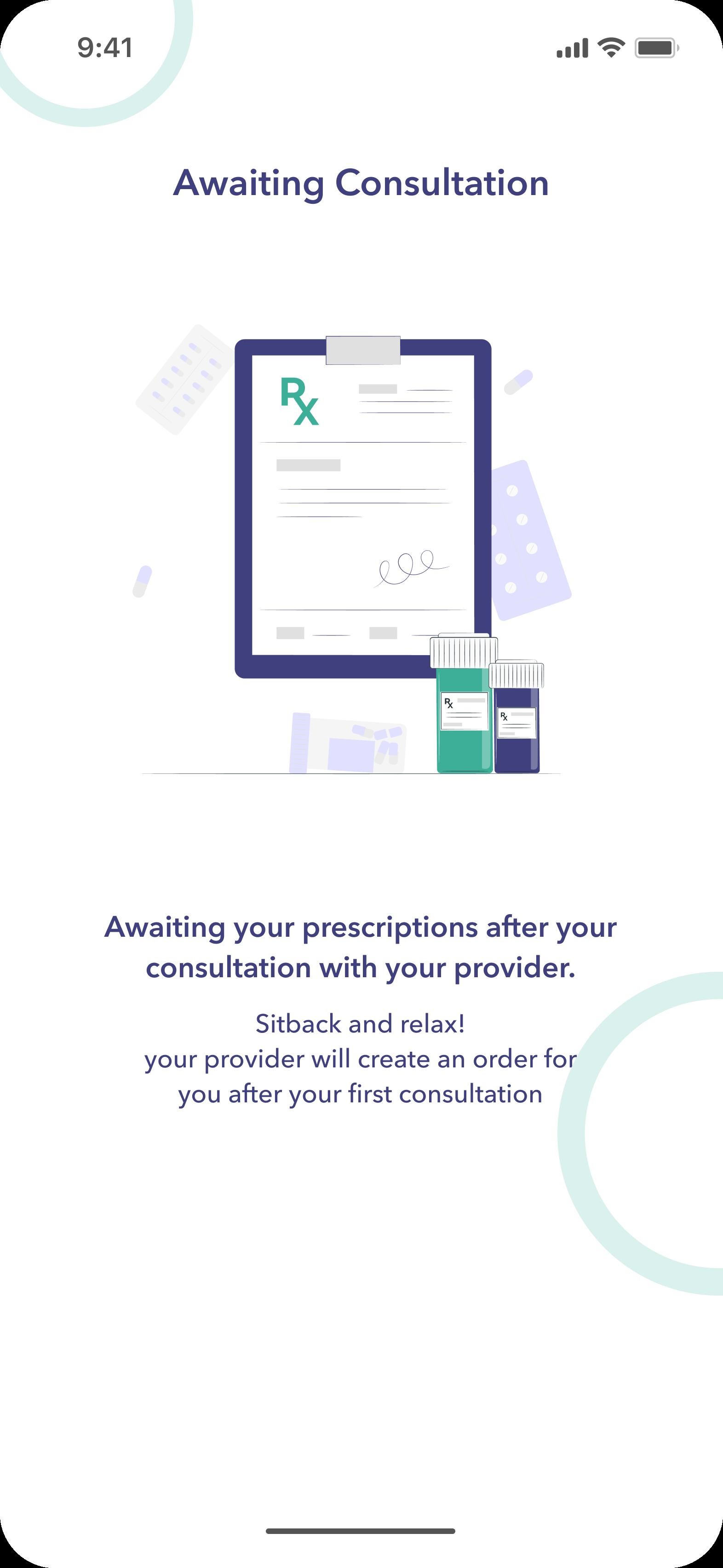
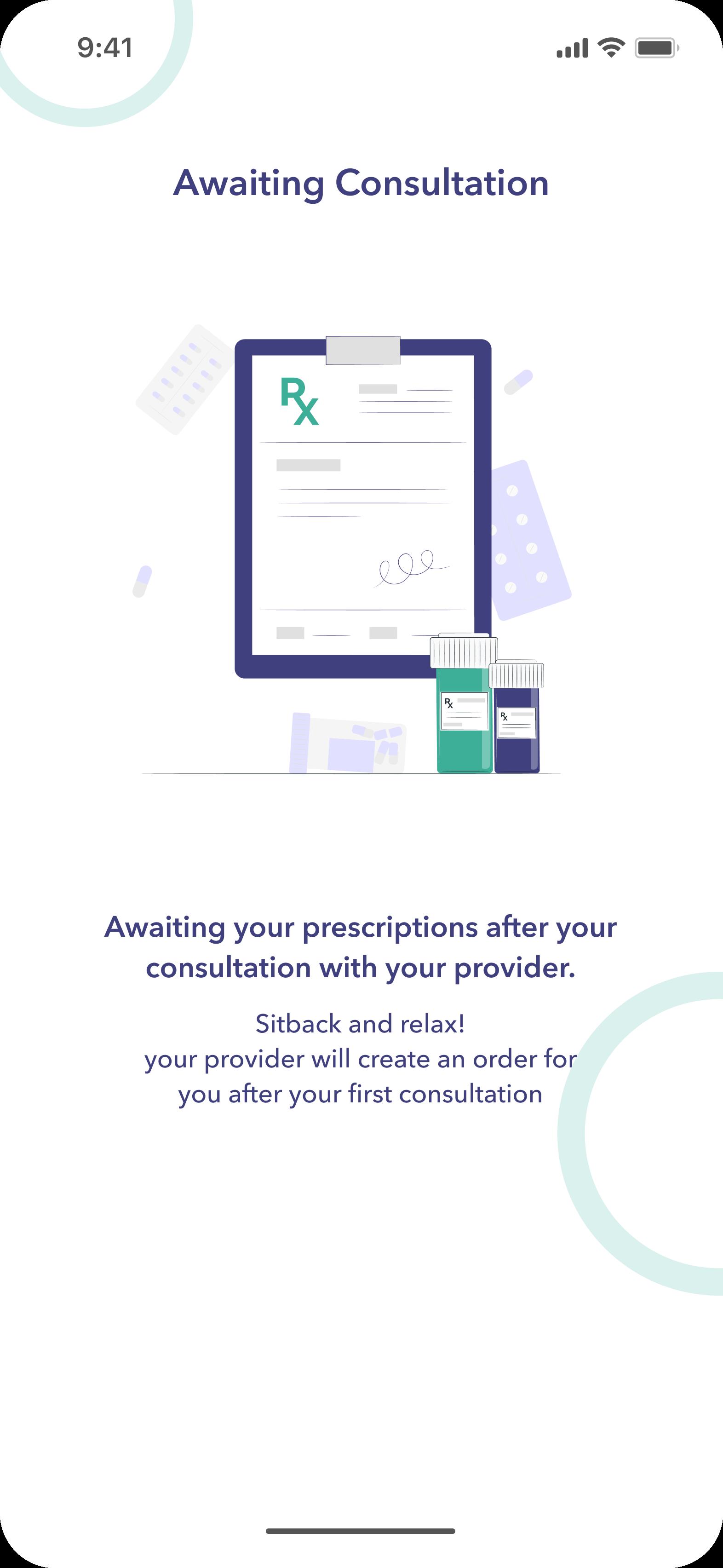
- Short onboarding with a clear 'awaiting consultation' state.
- Home built around the daily routine, with detail one tap away.
- Refills and prescription switches handled in two taps.
Problem
What the current HRT journey looks like and where it breaks down for the person going through it.
Hormone therapy is a long routine, not a single purchase.
Patients live with HRT for years. The hard part is the admin that comes with it.
Dosages change, prescriptions get swapped and refills have to be placed on time. Most patients fall off therapy because of small things: a missed dose, a late refill, or confusion when a new bottle arrives.
The goal was simple. Build a mobile app that takes the medical admin off the patient and helps them stay on plan without thinking about it.
The boring screens are the ones that decide whether someone stays on therapy.
I started with interviews, not screens.
I spoke with patients and read through existing HRT research before drawing anything.
The aim was not a feature list. It was to understand what a patient actually goes through, from the first consultation to a routine that has been running for years.
Four jobs came out of it: get started, stay on plan, manage supply, and remember the dose. Every screen in the app had to map to one of these.
Process
Brand direction, design system, and the decisions that shaped the app.
A brand that does not feel like a pharmacy.
Deep navy, warm rose, mint reserved for actions.
The audience covers three generations of women. The product needed to feel closer to wellness than to a medical form.
I paired navy with a warm rose for warmth and kept mint for actions only. A serif handles the headlines, a geometric sans handles the body. The result is calmer than a standard pharmacy app without losing trust.
Solution
The shipped flows: onboarding, daily view, orders, refills, reminders, and the outcome.
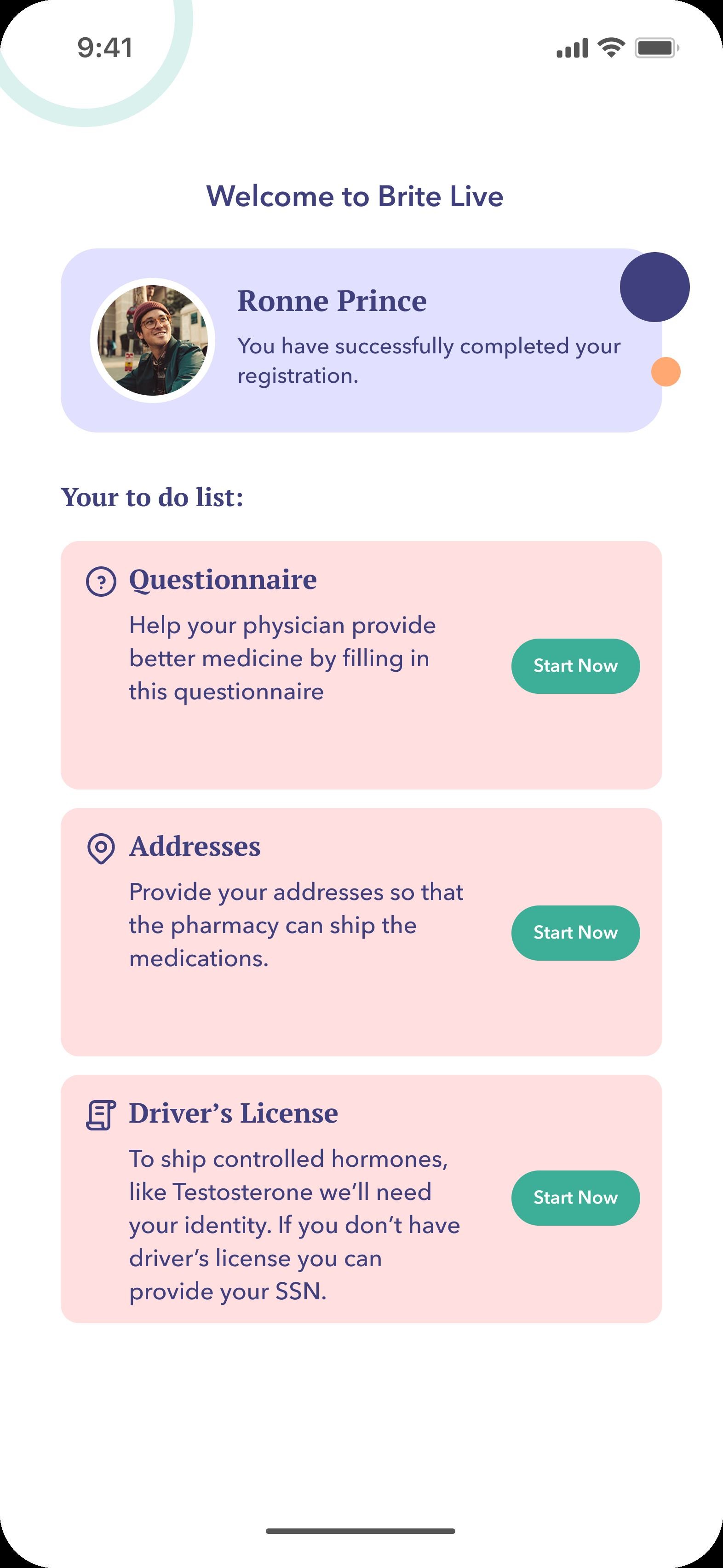
Onboarding kept short and honest.
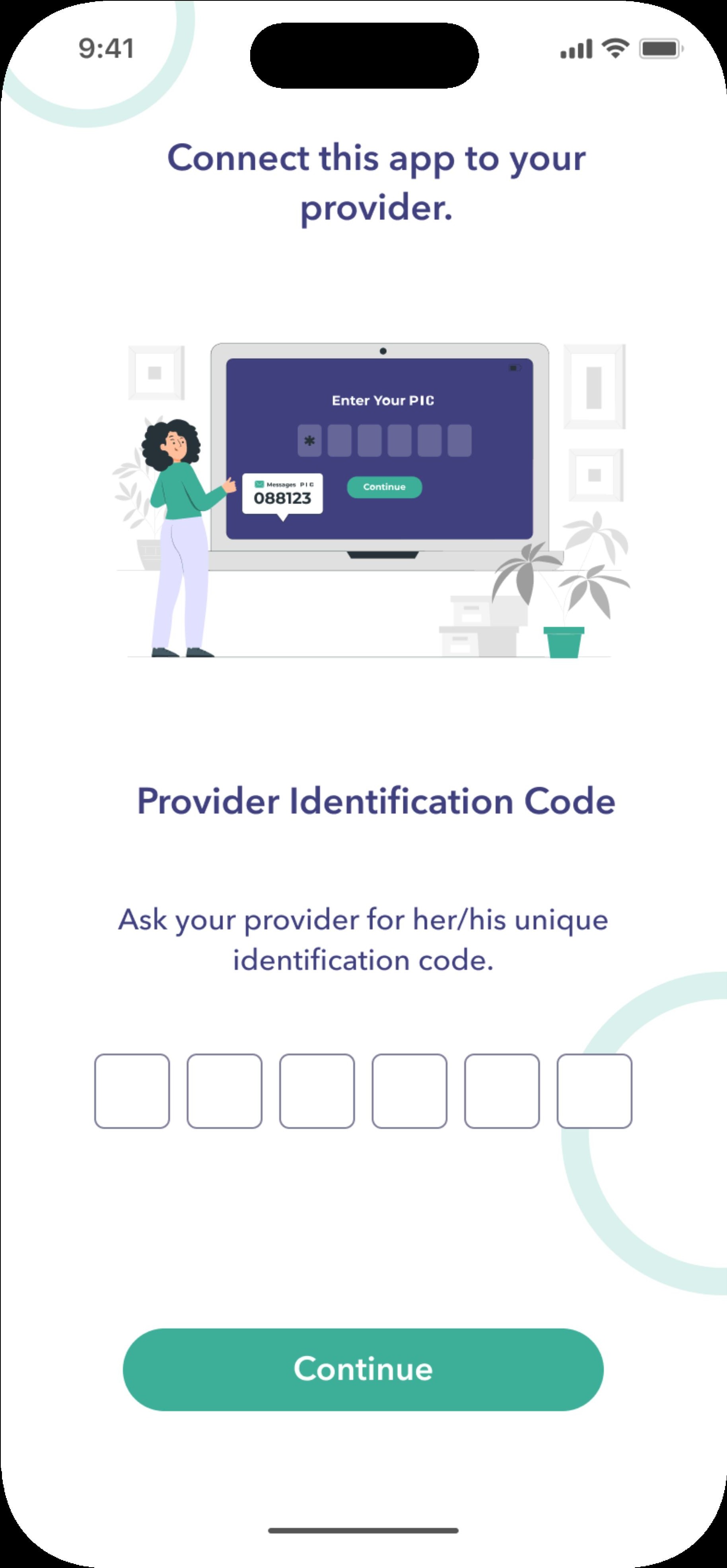
A provider code, a questionnaire, an address and a signed waiver.
Most medical apps lose users in onboarding. I cut everything that was not needed and showed the full set of steps up front so patients knew what was coming.
The provider code pairs the patient with their clinician from the start. After the waiver, the app sits in a clear 'awaiting consultation' state instead of pretending the work is done.
A home built around the daily routine.
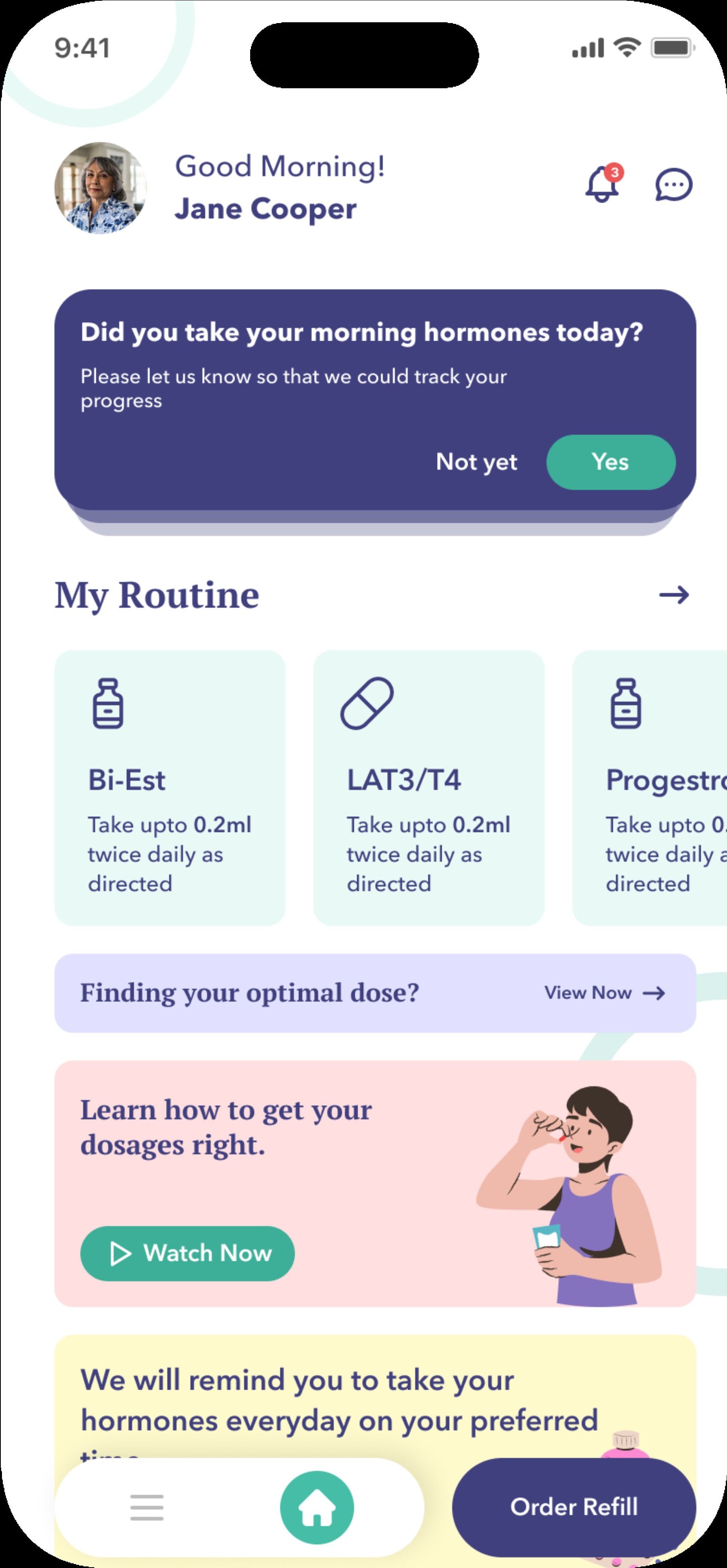
Plain-language status first, charts and detail one tap away.
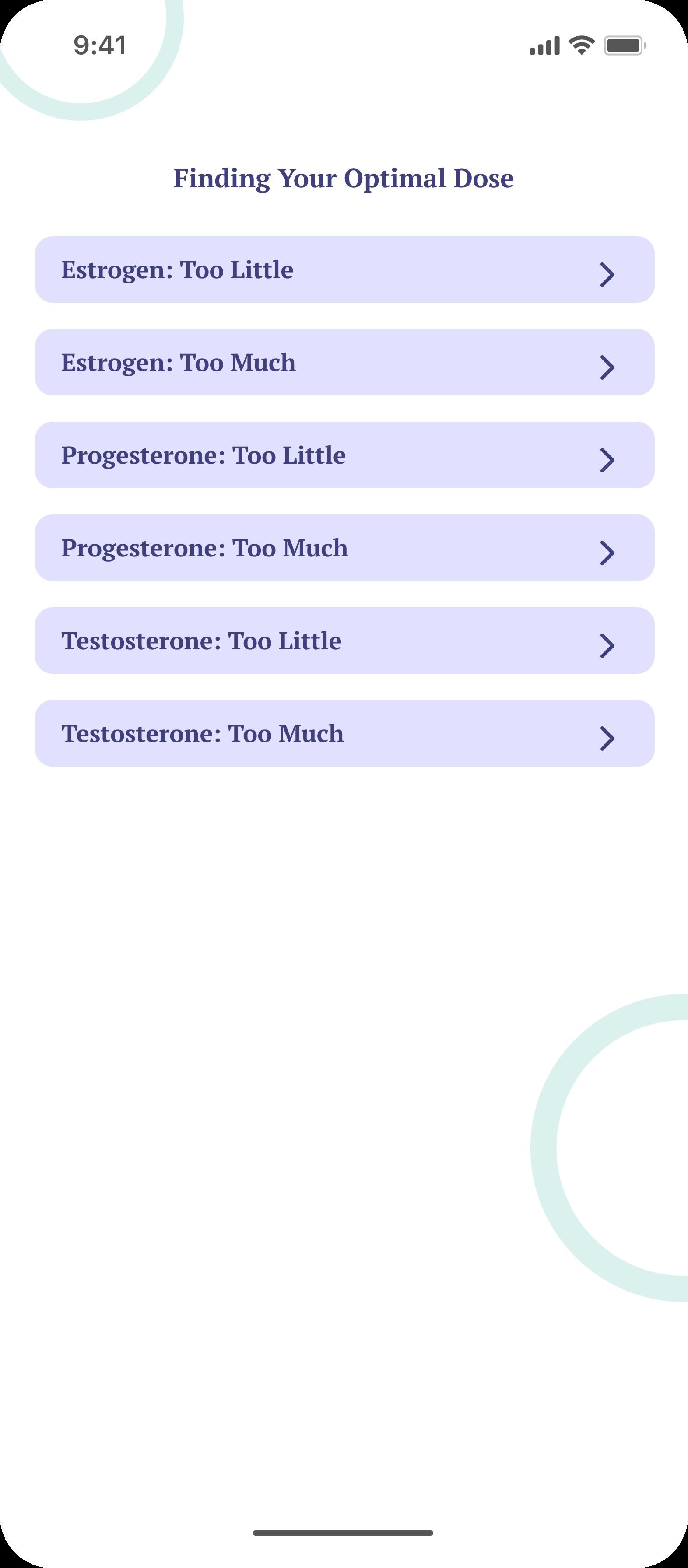
Optimal Dose shows every hormone in one view so patients can see how they are tracking without moving between tabs.
The home screen opens with a short status sentence instead of a dashboard. The medical detail is available when it is needed and stays out of the way when it is not.
Orders and receipts in one place.
Status and prescription IDs first. Invoice on the same screen.
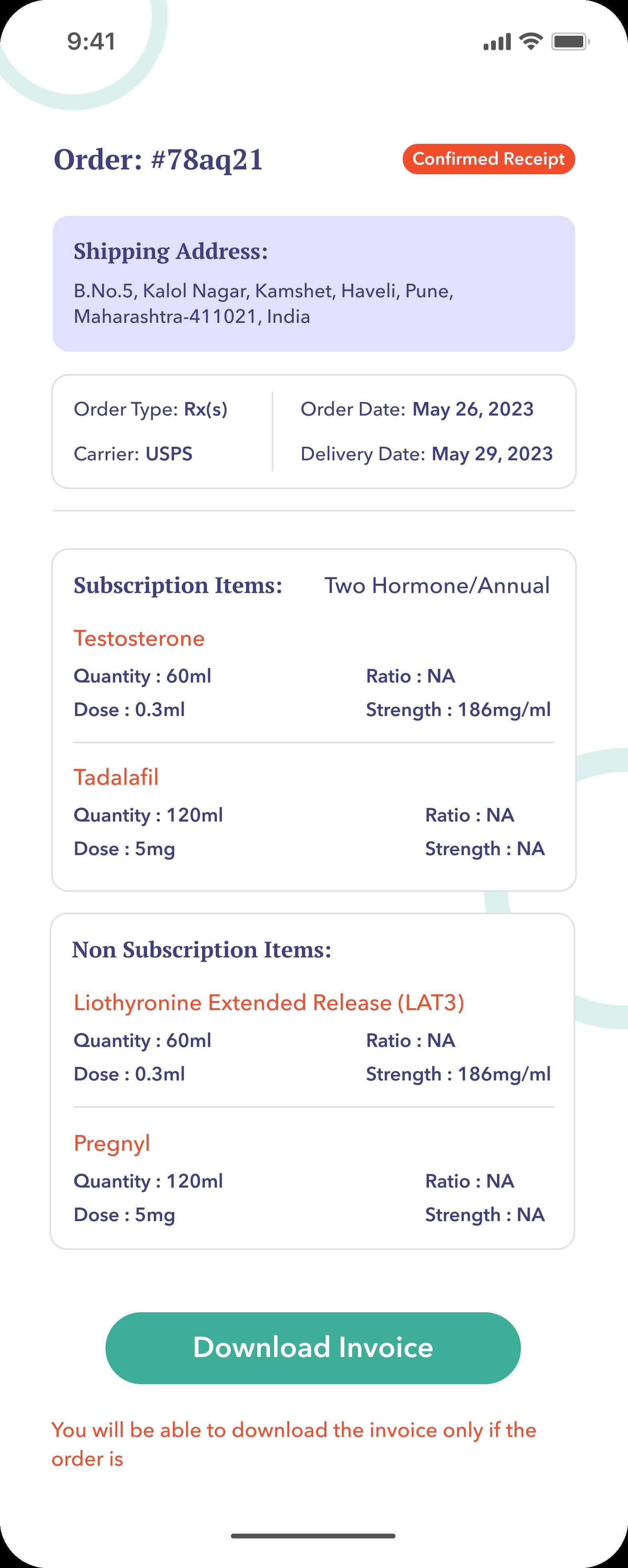
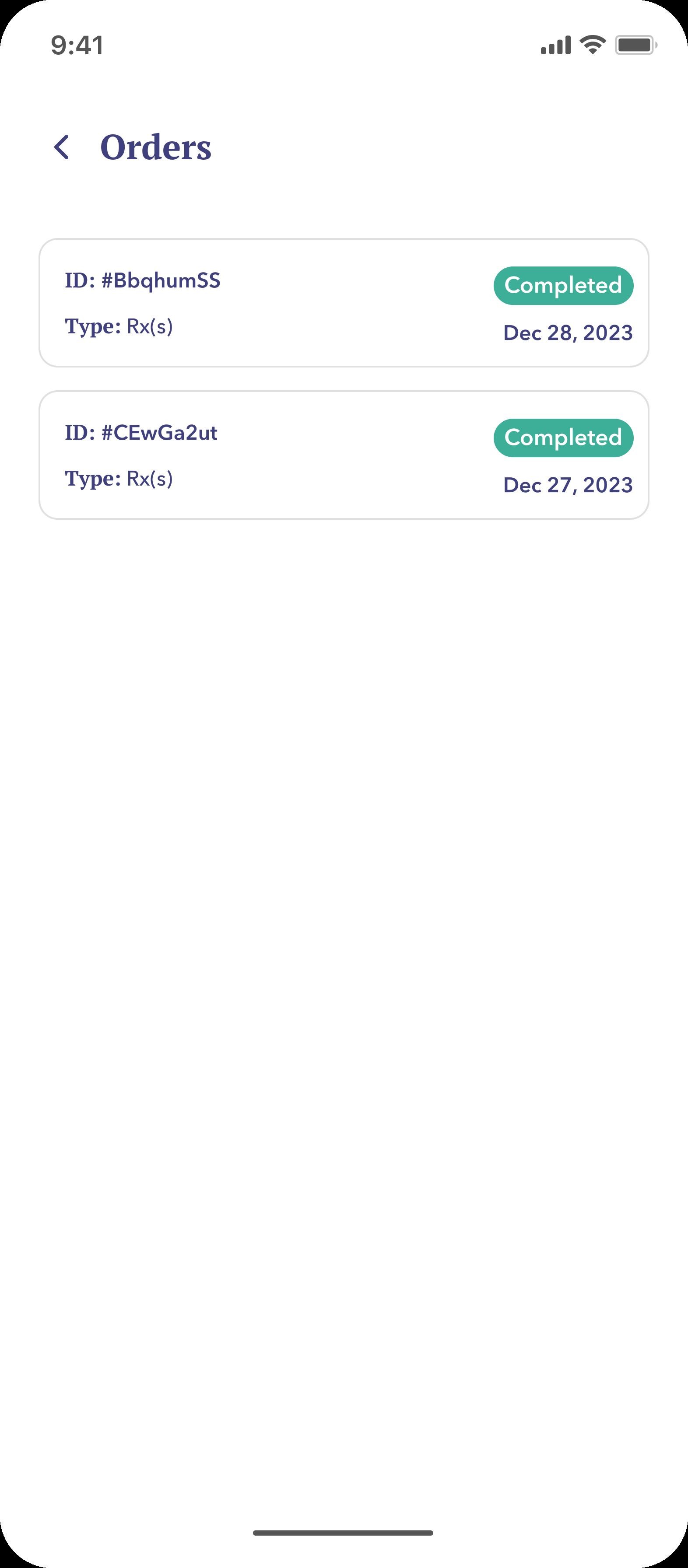
Patients often need receipts for insurance, FSA claims or a partner. Order history surfaces the status and prescription ID at the top of every row.
Each order detail shows the full subscription breakdown and a downloadable invoice on the same screen, so nothing has to be searched for later.
Refills in two taps.
Plans, billing and re-orders without typing anything.
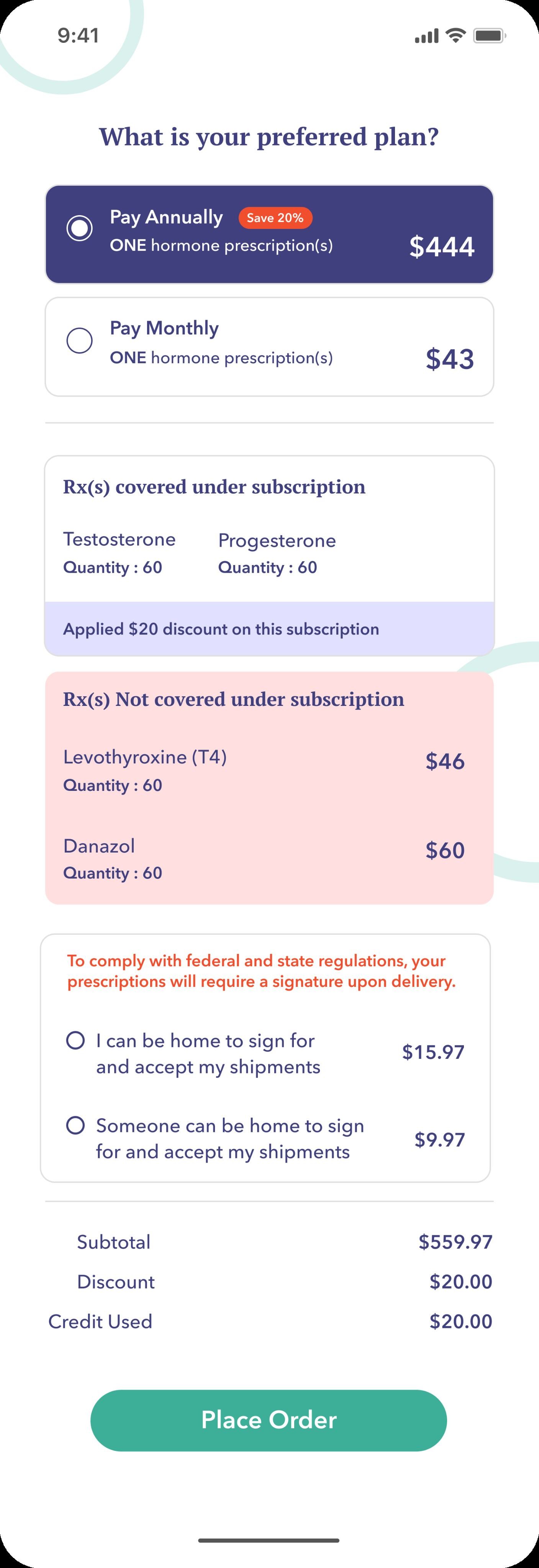
Order Placement compares annual and monthly plans with the savings shown on screen, so patients do not have to work the maths out themselves.
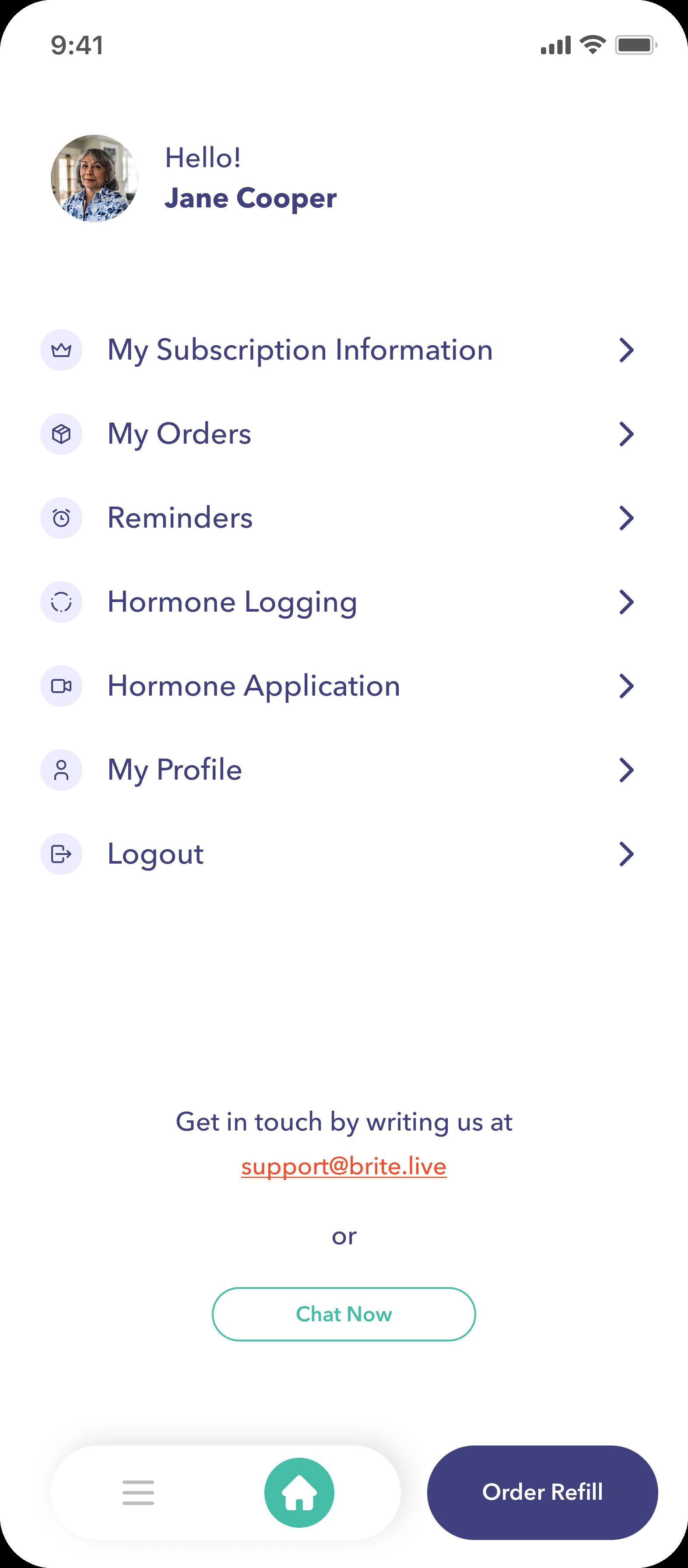
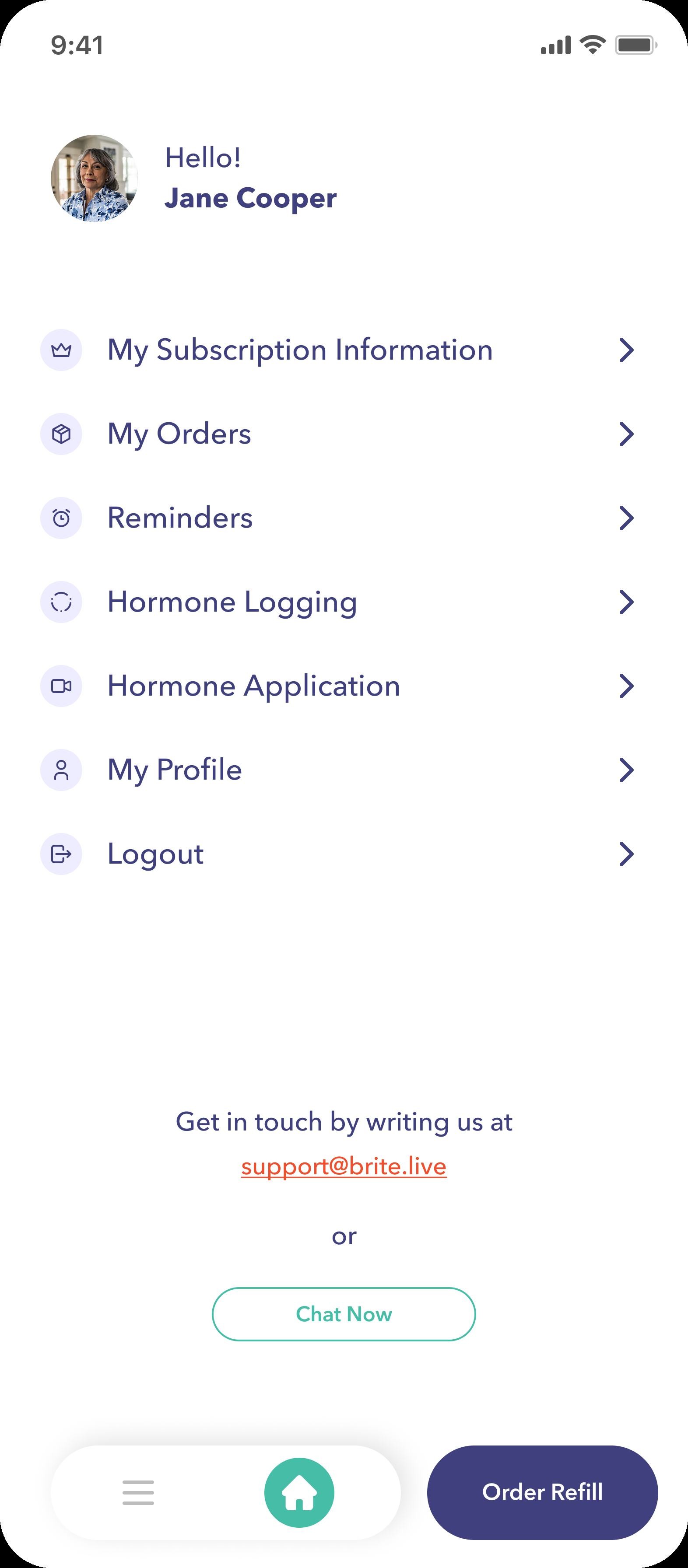
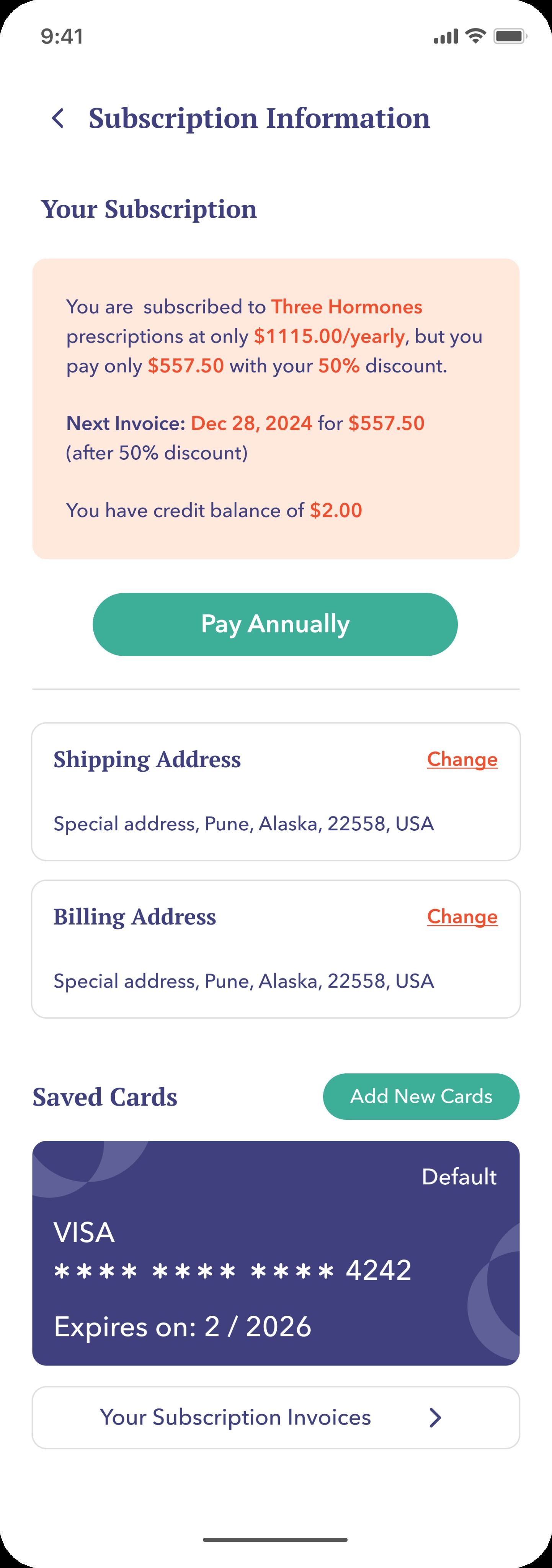
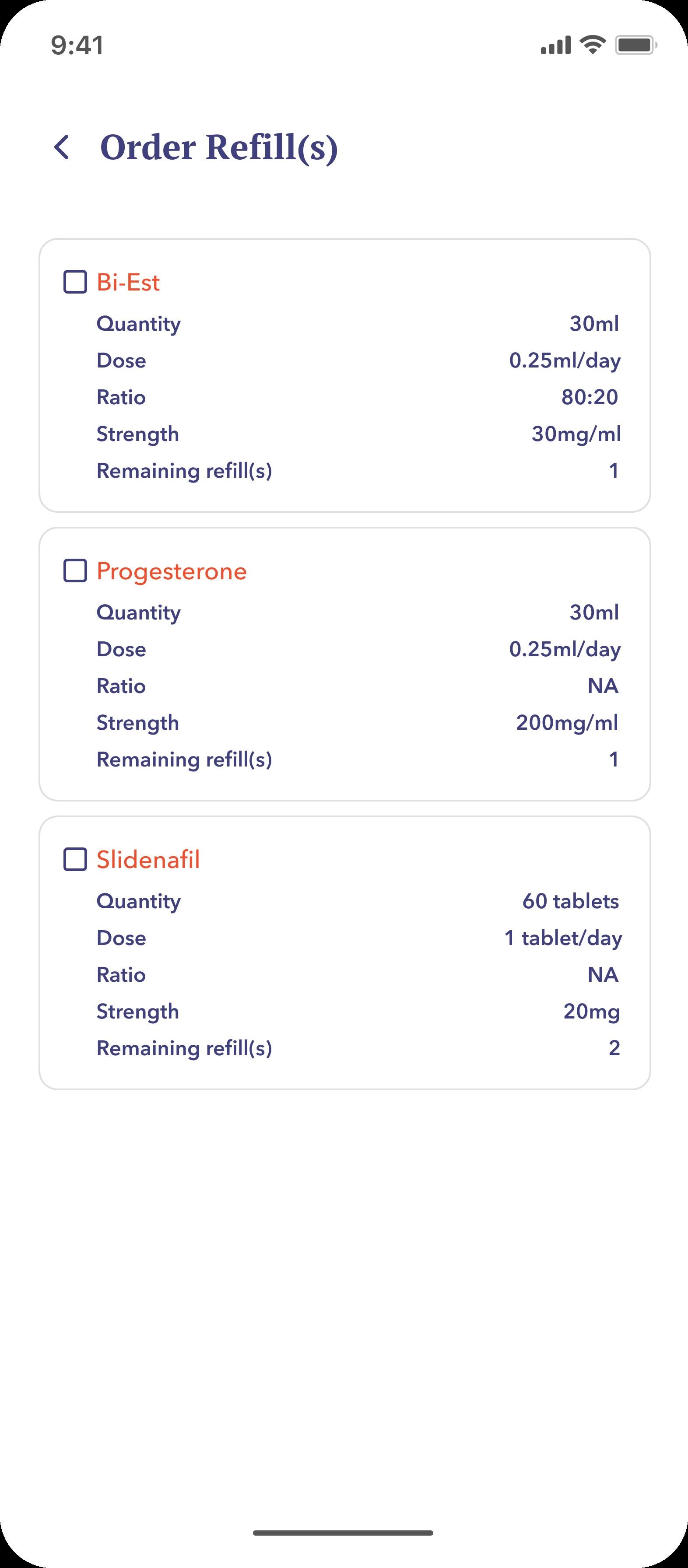
Subscription Information keeps pricing, shipping, billing and saved cards in one place. Order Refill brings up the current prescriptions and lets the patient re-order in two taps.
Reminders and prescription switches.
Morning and evening doses, with a clear prompt when a new bottle arrives.
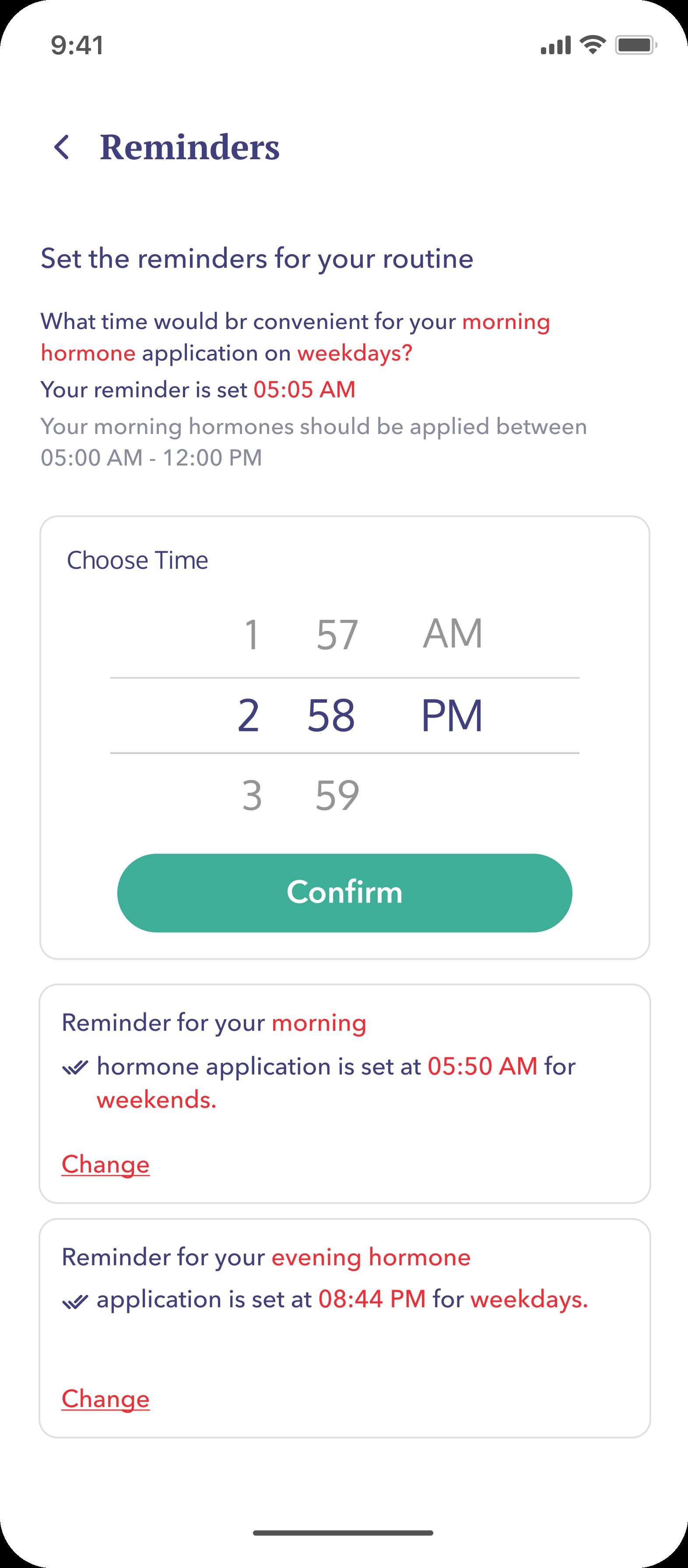
Patients set separate times for weekday and weekend doses and edit them where they live, not buried in settings.
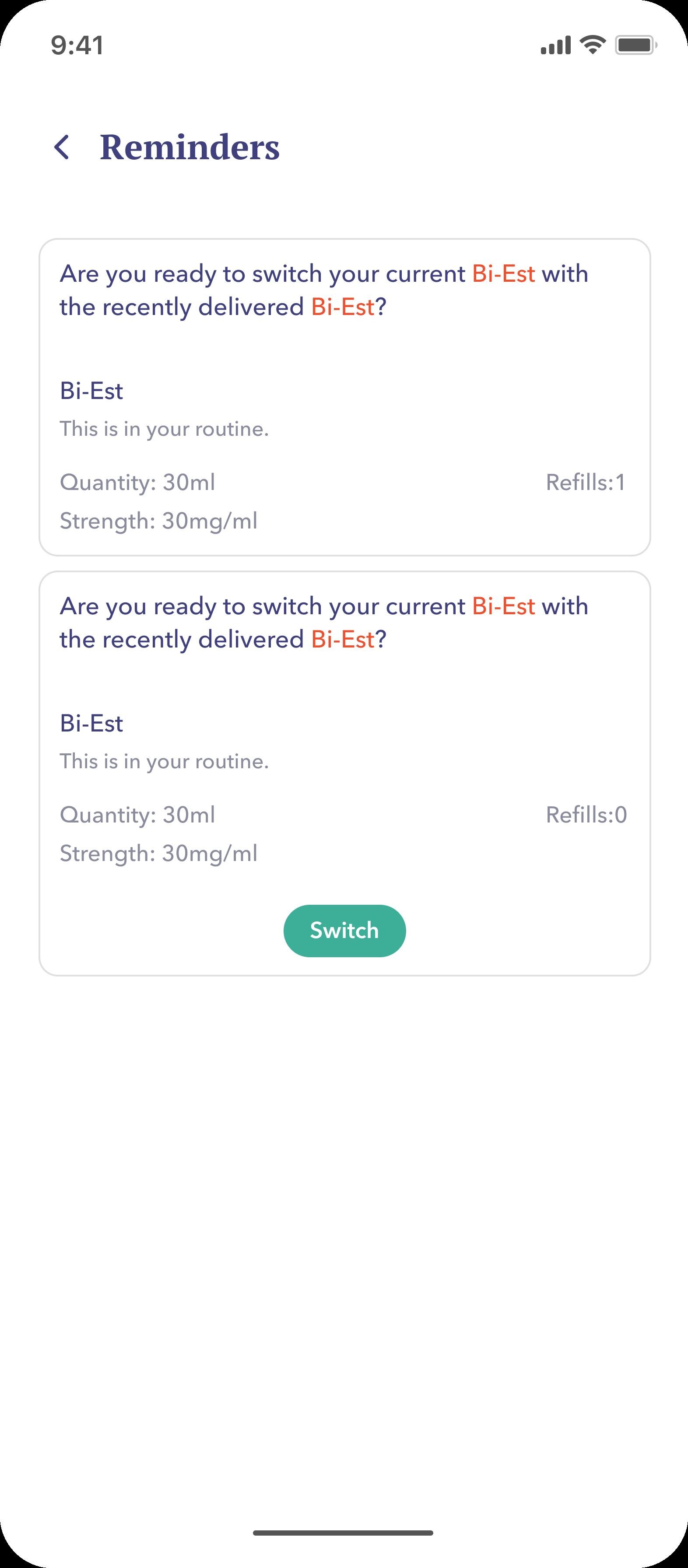
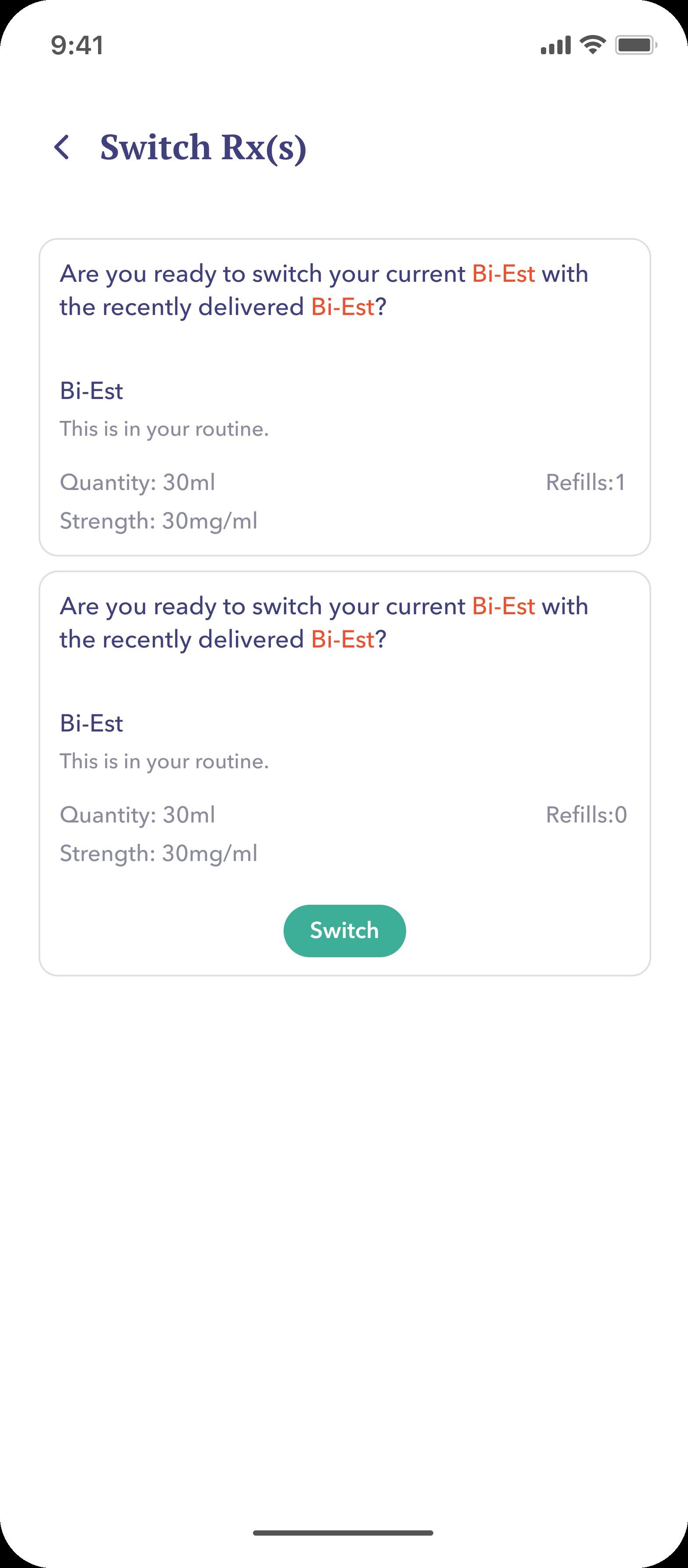
When a new prescription arrives, the app asks one question: keep the old bottle or switch. Switch Rx(s) handles the rest on a single screen.
Where Brite landed.
An end-to-end HRT flow with a brand and system the team can build on.
The app runs from first consultation to long-term routine without dead ends. Refills, reminders and prescription switches each take seconds instead of minutes.
The design system covers brand, type, components and patterns. New modules like labs or telehealth notes can be added without rebuilding the base.